
Offline-online bridge with QR: here's how it works
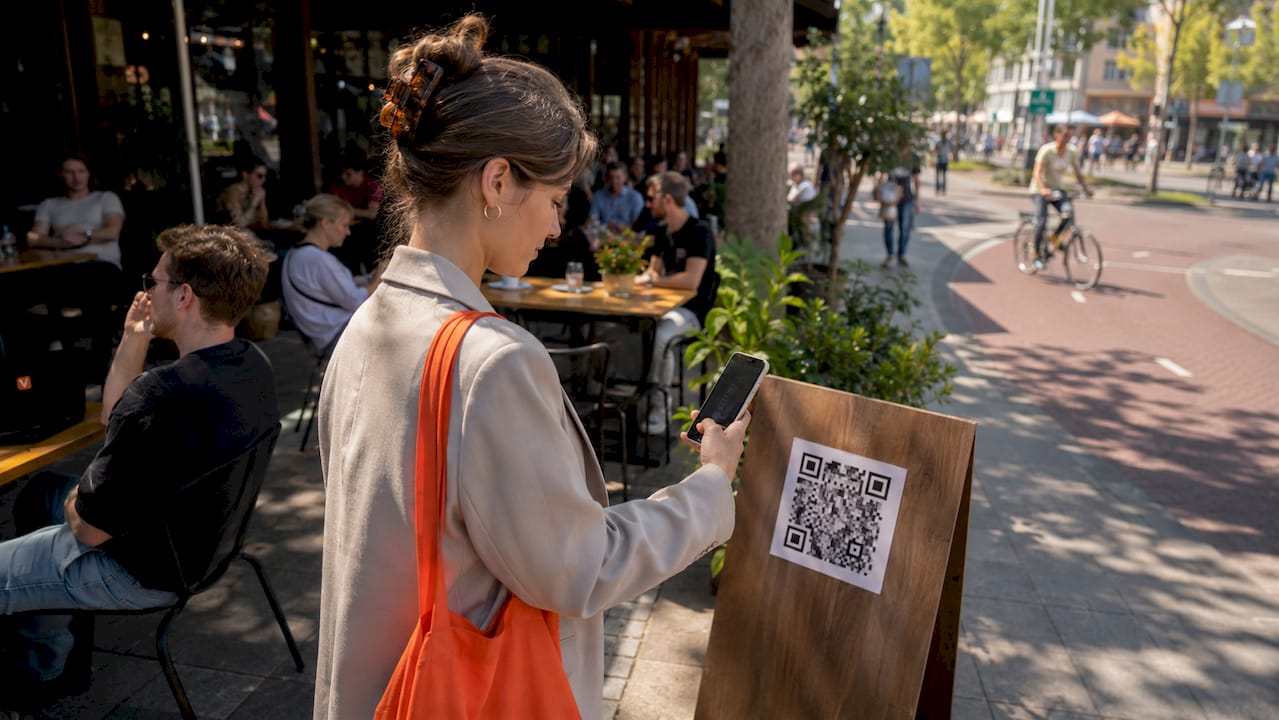
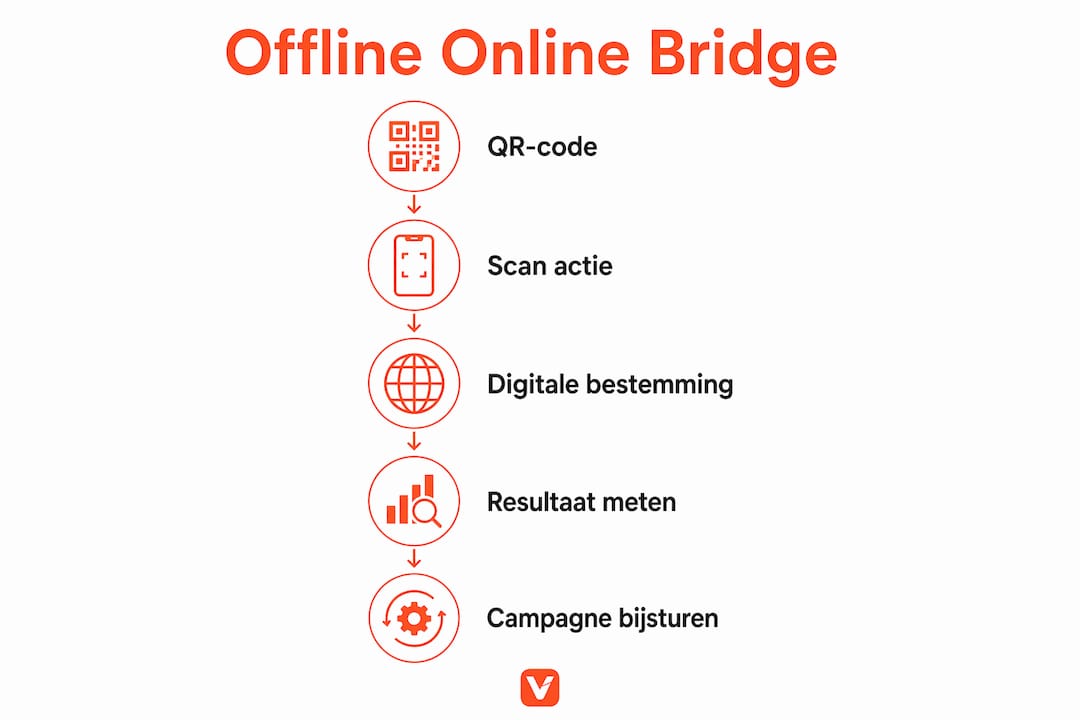
The offline-online bridge via QR codes is the direct connection between a physical marketing moment and a digital destination, activated by a single scan. Businesses deploy QR codes on posters, packaging and window stickers to send customers straight to a website, offer or product page. Usage is growing rapidly: the number of scans is rising from 1.3 billion in 2022 to 5.3 billion in 2025. That growth shows that consumers are increasingly taking the step from physical to digital as a matter of course. For marketers, this is the moment to capitalise on that habit.
How do QR codes work to connect offline and online?
A QR code is a two-dimensional barcode that a smartphone reads via its camera. The code contains a URL or other data. After scanning, the user's browser opens the linked page directly. No app needed, no typing, no searching.
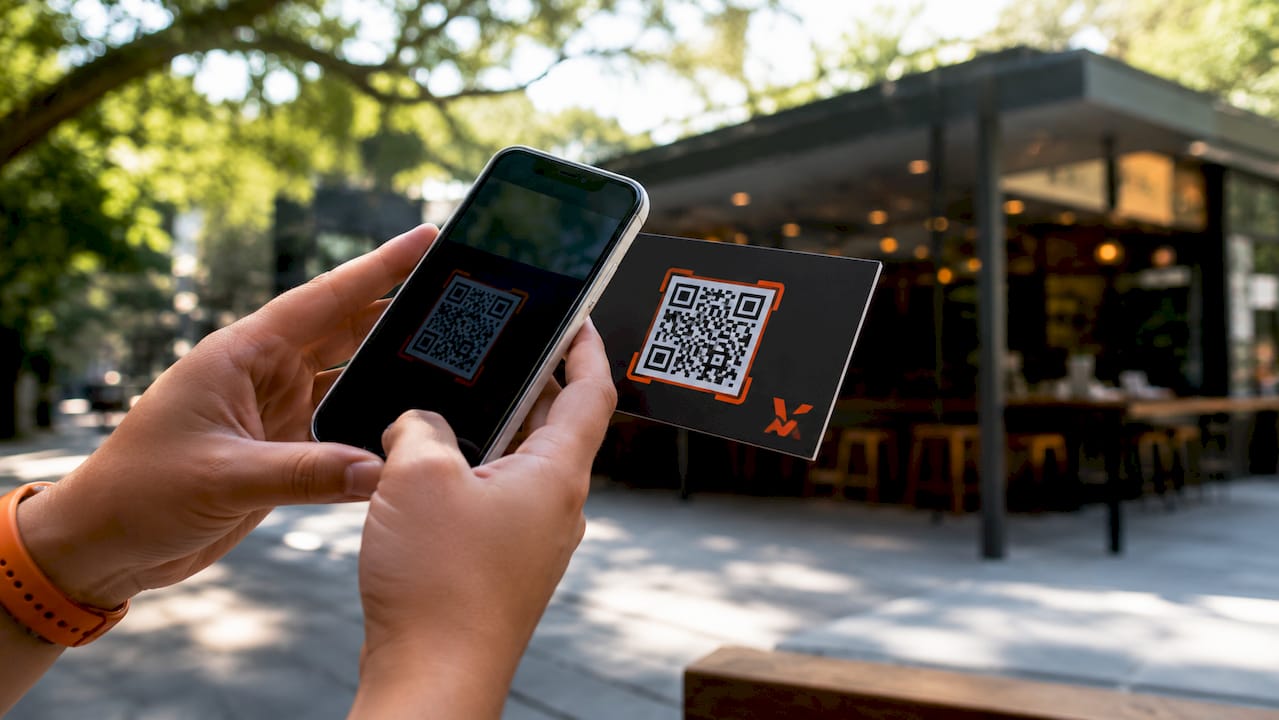
Static versus dynamic QR codes
Static QR codes contain a fixed URL that cannot be changed after printing. If you want to change the destination, you have to create a new code and reprint all your materials. That costs time and money.
Dynamic QR codes work differently. The code points to an intermediary server. That server redirects the visitor to whichever URL you have set at that moment. Want to change the destination? You do it in a dashboard, with no new print run required. Dynamic codes also enable tracking: you can see how many people scan, when, and via which device.
For professional marketing, the choice is clear: dynamic QR codes are the standard. They give you control, data and flexibility.
- Static code: fixed URL, no analytics, no adjustments possible
- Dynamic code: adjustable URL, real-time analytics, retargeting possible
- Tracking: time, location, device type and scan frequency made visible
- Costs: professional platforms cost between €5 and €20 per month
Pro tip: Always use a dynamic QR code for printed materials with a long lifespan, such as window stickers or packaging. That way you never need to reprint if your campaign changes.
Which offline touchpoints do you connect to online via QR?
QR codes work on any physical surface where a customer pauses for a moment. The power lies in the combination: a tangible moment that leads directly to a digital action. Think of a customer picking up a product in a shop and immediately seeing reviews, recipes or a discount code via the QR code on the packaging.
Physical applications that work
Window stickers with QR codes are a practical example. They adhere without damage to shop windows and connect passers-by directly to your webshop, opening hours or a promotion. They are cheap to produce and easy to replace.
Other touchpoints that work well:
- Product packaging: customers scan for usage instructions, warranty or loyalty programmes
- Flyers and leaflets: direct link to a landing page with more information or a form
- Posters and outdoor advertising: connection to a video, event page or sign-up form
- Shop shelves and price tags: link to product reviews, comparisons or complementary products
- Business cards: referral to a digital contact page or portfolio
Placement determines success. A QR code at eye level performs better than a code on the floor or high up on a wall. Make sure the code is large enough to scan and that there is a clear call to action beside it, such as "Scan for 10% discount."
Pro tip: Always place a short text next to the QR code explaining what the customer will get after scanning. "Scan for free delivery" works better than a bare code.
What advantages does the QR bridge offer businesses and marketers?
The offline-online connection via QR codes delivers three concrete benefits: greater customer engagement, measurable results and lower costs per interaction.
Greater engagement and direct action
A customer who scans a QR code is already actively engaged. That person has consciously picked up their phone and taken an action. That is a strong signal of interest. Omnichannel strategies increase brand awareness and customer engagement, with QR codes forming the link between physical and digital channels. A customer who goes to a webshop via a poster has a shorter path to purchase than someone who searches on their own.
Measurable data and conversion
- Collecting scan data: you can see exactly how many people scan, at what time and via which device
- Using location data: compare performance per shop, city or campaign location
- Measuring conversion: link scan data to purchases or sign-ups via UTM parameters
- Comparing campaigns: test two different landing pages via the same QR code and alternate between them
- Activating retargeting: professional platforms offer retargeting based on scan behaviour
Costs and speed
QR codes are cheap to produce and quick to deploy. No expensive technology is needed on the customer's side. Every smartphone with a camera can read the code. Dynamic codes also make it possible to adjust campaigns without reprinting, which saves print costs for long-running campaigns.
How do you set up a successful QR campaign?
A good QR campaign requires more than generating a code and sticking it up. Design, placement and follow-up determine whether the campaign works.
Step-by-step approach
- Choose a dynamic QR code. This lets you change the destination later without reprinting.
- Set a clear destination page. Send the visitor to a specific page, not your homepage. A targeted landing page converts better.
- Design the code with high contrast. High contrast and a clear location enhance scannability. Use a dark code on a light background.
- Determine the minimum size. A QR code on printed materials must be at least 2.5 by 2.5 centimetres for reliable scanning at normal distance.
- Add a call to action. Tell the customer what they will get after scanning.
- Test before publishing. Scan the code with multiple phones and operating systems before you print your materials.
- Monitor the results. Review scan data weekly and adjust the destination page if conversion disappoints.
Common mistakes
| Mistake | Consequence | Solution |
|---|---|---|
| Static code on long-running materials | Reprint required when changes are needed | Use dynamic QR codes |
| Code too small | Not scannable | Minimum 2.5 x 2.5 cm |
| No call to action | Low scan rate | Add text next to the code |
| Link to homepage | Low conversion | Use a specific landing page |
| No tracking set up | No insight into results | Activate analytics in your platform |
Pro tip: Use UTM parameters in your destination page URL. This allows you to see in Google Analytics exactly how many visitors came in via which QR code, even if you are using multiple codes simultaneously.
A good QR code on packaging requires extra attention to the material. Glossy surfaces can cause reflections, making scanning more difficult. Choose a matt laminate or matt substrate when placing codes on packaging.
Key insights
The offline-online bridge via QR codes only works if you use dynamic codes, make deliberate placement choices and actively measure the results.
| Point | Details |
|---|---|
| Dynamic codes are the standard | Adjust the destination page without reprinting, save costs and stay flexible. |
| Placement determines the scan rate | Place codes at eye level with a clear call to action beside the code. |
| Tracking delivers usable data | Measure scans, location and conversion to improve campaigns. |
| Omnichannel strengthens customer engagement | QR codes connect physical and digital channels in a single customer journey. |
| Mistakes are avoidable | Always test before publishing and use specific landing pages. |
What I have learned from QR campaigns in practice
Marketers consistently underestimate how large the difference is between a static and a dynamic QR code. I see it time and again: a company prints thousands of flyers, the campaign runs, and halfway through they want to change the offer. With a static code that is impossible without reprinting everything. With a dynamic code it is a matter of two minutes in a dashboard.
The second point I want to emphasise: a QR code without a call to action is a missed opportunity. Customers do not scan out of curiosity alone. They scan when they know what they are going to get. "Scan for 15% discount" works. A bare code on a poster does not.
Finally: always measure. Companies that ignore scan data miss the opportunity to learn which locations, times and campaigns perform best. That data is available for free via every professional platform. Use it.
— VySaaS
QRivy makes your QR campaigns manageable
QRivy offers dynamic QR codes that you can adjust at any time, without having to reprint your materials. You manage all codes centrally, track scan data in real time and remain fully GDPR-compliant thanks to cookieless tracking.
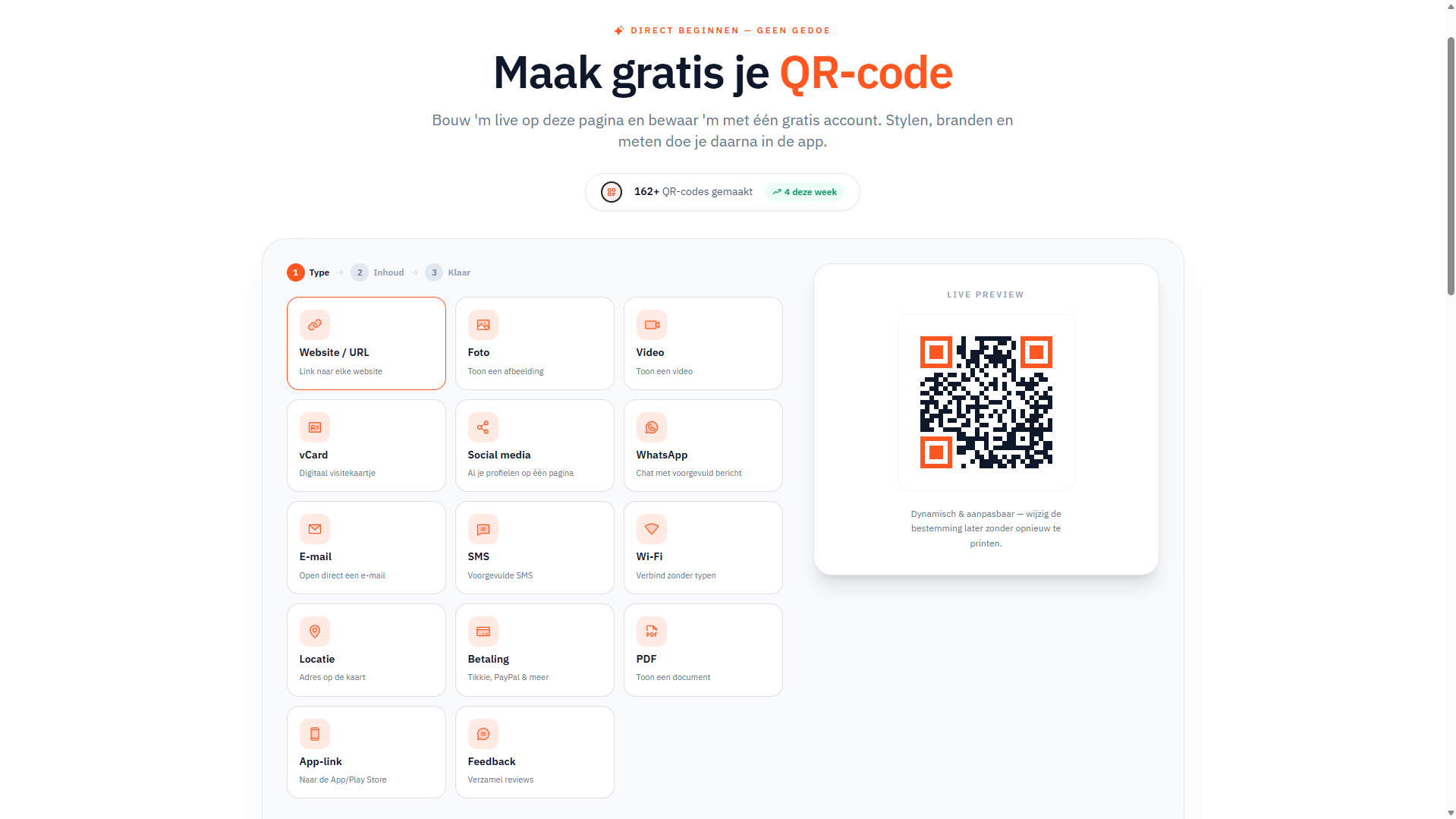
Whether you are creating QR codes for packaging or setting up a large-scale campaign via the bulk QR generator: QRivy gives you the control and the data you need. Create a free account at qrivy.app and go live with your first dynamic QR code.
Frequently asked questions
What is the difference between static and dynamic QR codes?
A static QR code contains a fixed URL that cannot be changed after printing. A dynamic QR code points via a server to an adjustable URL, allowing you to change the destination without reprinting.
How do I measure how many people scan my QR code?
Dynamic QR code platforms automatically record the number of scans, the time and the device type. Link your destination page to UTM parameters for additional insight in Google Analytics.
What does a professional QR code platform cost?
Professional platforms for dynamic QR codes cost between €5 and €20 per month, depending on the number of codes and the available features such as retargeting and in-depth analytics.
On which materials do QR codes work best?
QR codes work on any printed or digital surface, from packaging and posters to window stickers and business cards. Choose high contrast and a matt substrate for the best scannability.
How large does a QR code need to be to scan reliably?
A QR code on printed materials must be at least 2.5 by 2.5 centimetres for reliable scanning at normal reading distance. Larger formats work better for outdoor advertising or posters that are viewed from a distance.
Recommendation
Explore all guides & insights on the VySaaS blog.